BlogChecksGenie
Checked by the kernel, not guessed
Every answer Genie gives ends with what the CAD kernel actually measured on your part: the solids, the holes it found, the overall size. When something doesn't match what was asked, you see it.
AI models can sound sure of themselves and still be wrong. In CAD that matters: a hole that is 6.4 mm instead of 6.6 mm is a part that doesn’t fit. So DesignX doesn’t take Genie’s word for it. After every change, the CAD kernel measures the real geometry and Genie reports what it found.
What you see
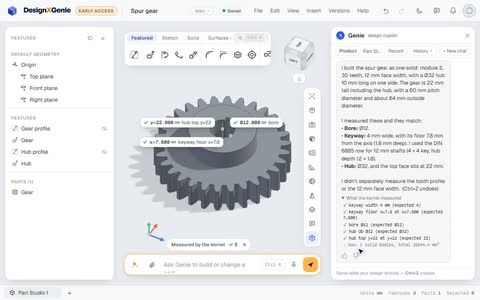
- A badge on the model, “Measured by the kernel ✓ 8”, with the measured sizes labelled on the part.
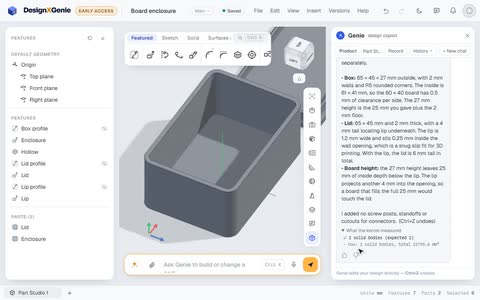
- “What the kernel measured” under Genie’s answer. For the bearing housing: 1 solid body (expected 1), holes Ø6.60: 6 found (expected 6), total volume 77,474.3 mm³.
- What wasn’t measured, said out loud. Genie’s answer ends with “I did not measure the chamfers or the bearing seat depth separately.” You know what’s proven and what’s assumed.
Why it helps
- Exact, not estimated. The kernel measures the true solid (a B-rep), not a triangle mesh, so a Ø6.6 hole reads 6.600.
- Mistakes surface immediately. If Genie expected six holes and the kernel finds five, the check fails in plain sight instead of slipping into a drawing.
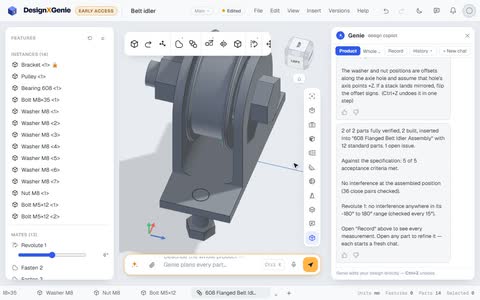
- The same checks run on whole products: parts verified, acceptance criteria met, and clashes looked for at every step of the motion.
Try it: after any Genie answer, open What the kernel measured. If a number isn’t what you meant, say so and Genie fixes it.